Free AI Cover Letter Generator
Build a professional cover letter right here in your browser — no sign-up, no credit card, and no paywall hiding at the download step. Cover Letter Creator is also a free iPhone and Android app.
Fill in a few fields, pick a tone, and get a structured, ready-to-send cover letter. Then make it truly yours — or let the AI write it from scratch in the free app.
Free to download on iPhone and Android — the app writes the whole letter with AI, in 10 tones and 3 lengths.
Build a cover letter — right here
Fill the fields, pick a tone, shuffle until it reads right. Copy, download or print the result free.
Starting the builder…
Why this builder is different
Every big cover letter builder makes you spend 30–60 minutes writing, then gates the download behind an auto-renewing trial. This tool is the opposite: the template builder is fully free and runs in your browser, real AI generation is free within a small daily budget, and the mobile app writes with AI wherever you are.
- Template builder runs 100% in your browser — nothing you type is uploaded
- No account, no email, no credit card — the letter is yours immediately
- Copy, download as .txt, or print to PDF with no watermark
- Real AI generation included free (limited per day) — the app has no daily wait
- 6 document types: cover letter, thank-you, follow-up, LinkedIn message, cold email, resignation letter
The template builder runs in your browser
It assembles the letter from your fields, a tone pack and a shuffle seed, right in this tab. In template mode nothing you type is uploaded anywhere — and there is no account, no email capture, and no watermark on what you take away.
Real AI when you want it
One click switches to real AI writing — the same engine the app uses. AI mode sends the fields you filled in to our server and streams the letter back word by word. It is free within a small daily budget on the web; the app includes AI generation free to try.
Six document types, not one
Cover letter, post-interview thank-you, application follow-up, LinkedIn message to a recruiter, cold email to a hiring manager, resignation letter — each with its own preset here and in the app, because a job search is more than one document.
The app, on your phone
The website is the quick tool at a desk. The app writes the full letter with AI wherever you are — 10 tones, 3 lengths, any output language, a saved profile, and your letter history kept on your device. These are the real screens.
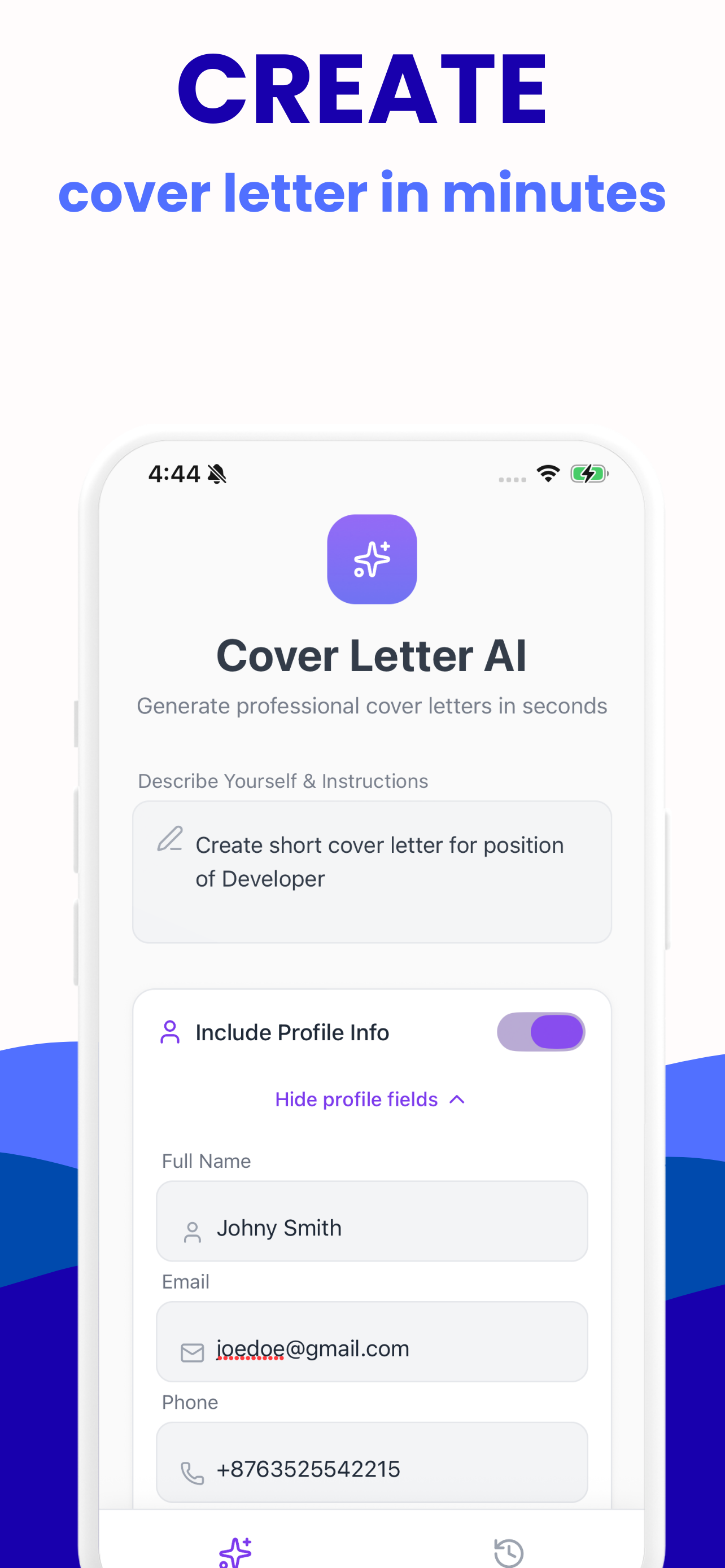
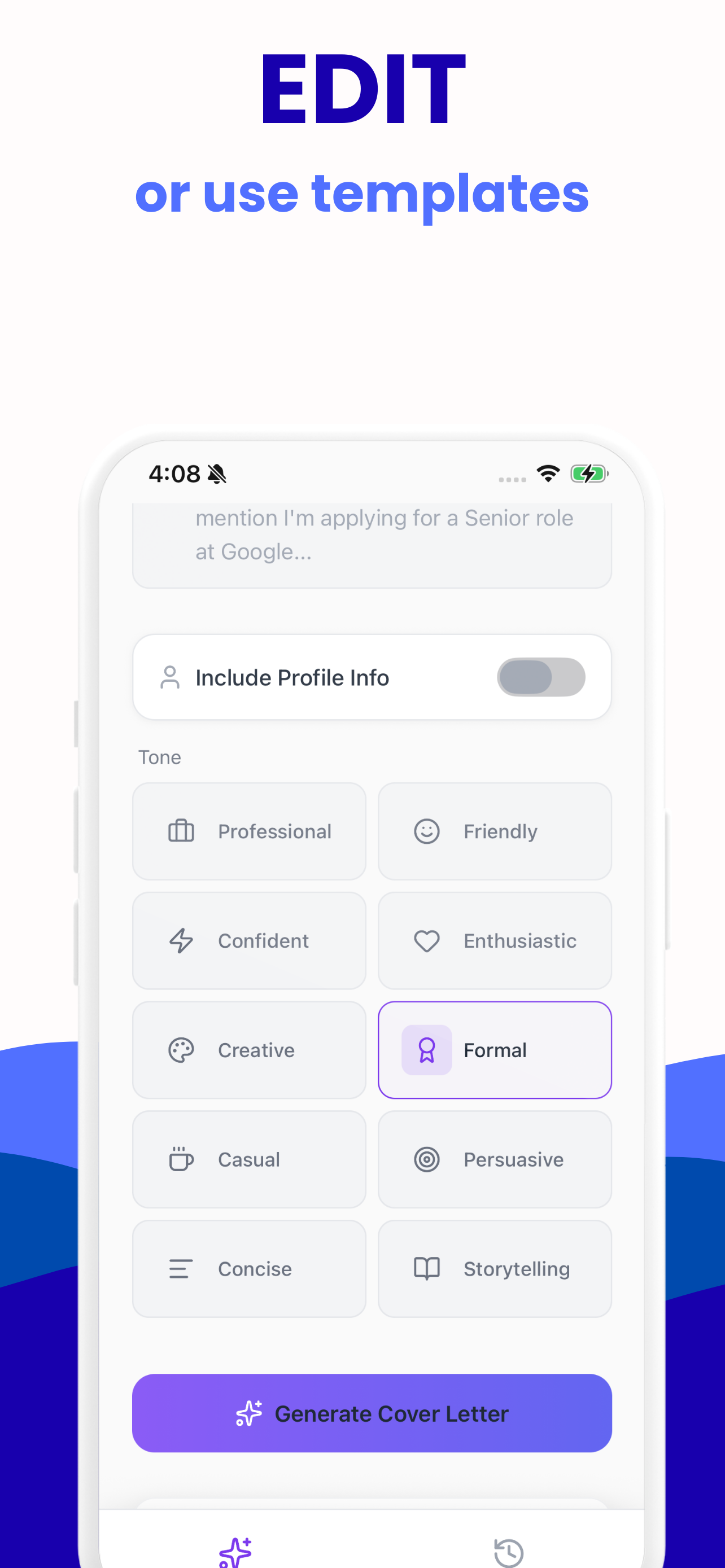
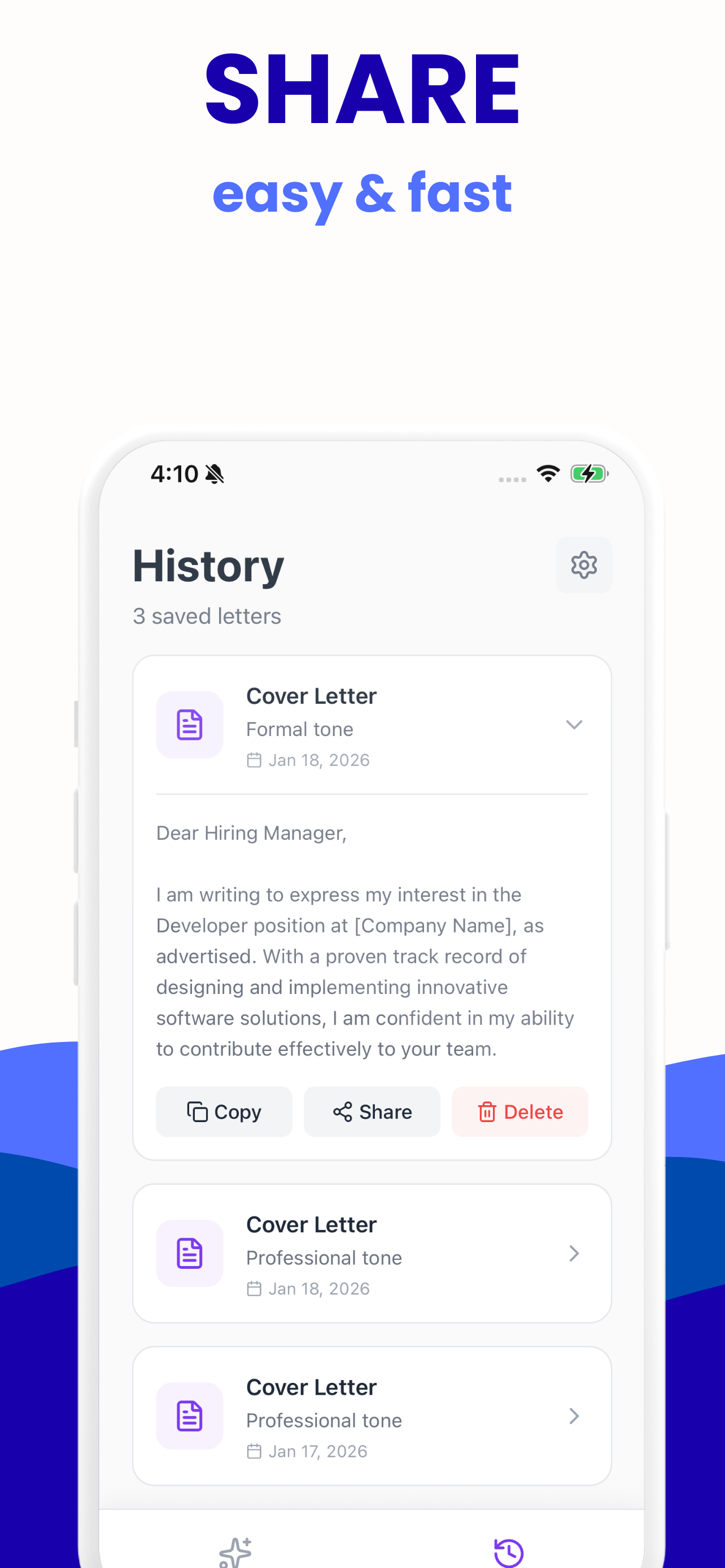
More about the iPhone app and the Android app.
How it works
Fill in a few fields
Your name, the role, the company, a highlight or two. Skip anything — blanks become neat [bracketed] placeholders instead of broken sentences, so you can draft first and fill in details later.
Pick a tone and length
Five template tones and two lengths in the browser; ten AI tones in AI mode and in the app. Shuffle re-phrases the opening, body and closing until it sounds right.
Make it yours
Edit the result: add one real number, one company-specific fact, and one sentence only you could write. That is what separates a letter that gets read from a template.
Copy, download or print
Copy the text, save it as .txt, or print to PDF. No watermark, no account, and no paywall at the download step.
The long version — what template mode does, what AI mode sends, and what each costs.
Every generator on this site
The same builder, preset for the message you actually need to send — each one free, in your browser.
Thank-you email generator
A subject line and a warm, specific thank-you note, ready to send within 24 hours of your interview.
Follow-up email generator
Check in on your application without sounding pushy — with the timing rules recruiters actually respect.
LinkedIn message generator
A concise, personal outreach message that gets a reply — not a wall of text recruiters skip.
Two weeks notice generator
Resign gracefully: a clear last day, a thank-you, and a transition offer — without burning bridges.
Cold email generator
Introduce yourself to a hiring manager before the role is public — brief, specific, easy to answer.
Guides
Written for the specific moment you searched for — the interview you just left, the application nobody answered — not a generic "how to write a cover letter" page.
Asking for a referral on LinkedIn
The 4-part message that makes referrals easy to say yes to — with copy-paste templates.
AI writingMake AI letters sound human
The phrases that give AI away, and the 7 edits that make a generated letter read like you.
AI writingIs ChatGPT OK for cover letters?
Yes — with five rules. What recruiters object to, and when AI help backfires.
StudentsInternship letter, no experience
What fills the page when you have no work history — with a full sample letter.
Entry levelCover letter with no experience
The reframe that fills the page: usefulness, not history — plus an annotated example.
First jobFirst-job letter for students
The 150-word format that works for retail, food, and summer jobs.
BasicsDo you need a cover letter?
When a letter changes the outcome, when to skip it, and what 'optional' really means.
BasicsHow long should it be?
250-400 words, under a page — and when a 150-word letter beats a long one.
Career changeCareer change letters
The bridge structure that translates your old career into the new role's language.
Questions people actually ask
Is this cover letter generator really free?
Yes. The template builder on this page runs entirely in your browser with no sign-up, no credit card, and no paywall when you copy or download — the letter is yours from the first click. Real AI generation is also free within a small daily budget; the mobile app includes free AI generation to try and a premium upgrade for unlimited writing.
Do I need a cover letter in 2026?
For most applications a tailored cover letter still helps: applicants who tailor their letters see meaningfully more callbacks than those who skip or send generic ones. It matters most when the field says optional, when you are changing careers, and when someone referred you. It matters least for high-volume hourly hiring.
Learn moreHow long should a cover letter be?
250 to 400 words, three to four paragraphs, always under one page. Short beats long: recruiters skim the first line, any bullets, and the sign-off. For internal roles, referrals, or hourly jobs a tight 150-word letter often works better.
Learn moreCan employers tell if AI wrote my cover letter?
Often, yes — most hiring managers say they can spot fully AI-written applications by their generic phrasing and uniform rhythm. The fix is not avoiding AI; it is editing: add one real number, one company-specific fact, and one sentence only you could write. Use AI for structure and speed, then make the final 20% yours.
Learn moreHow do I address a cover letter without a name?
Use 'Dear Hiring Manager,' — it is the accepted modern default. 'Dear [Team] Team' also works. Avoid 'To Whom It May Concern,' which reads dated. If the posting names a contact, always use it; two minutes on LinkedIn or the company site often finds the hiring manager.
How is this different from using ChatGPT?
A blank chat box makes you re-explain yourself every time and gives you an unstructured wall of text. A purpose-built generator asks for the right inputs once, controls structure and length, offers 10 distinct tones, and — in the app — saves your profile so every new letter starts from who you are, not from zero.
Learn moreCan I edit the letter after it is generated?
Always — and you should. In the browser tool you can copy the text anywhere or shuffle the wording before you export. In the app you can edit any letter, regenerate variations, or apply quick refinements like 'shorter', 'more formal', or 'fix grammar'.
Does my letter or personal data get uploaded?
The template builder runs 100% in your browser — nothing you type leaves your device. If you choose the optional AI generation, only the fields you filled in are sent securely to our server to write the letter, and they are not used for anything else. In the app, your profile and letter history are stored on your phone.
Can I write a thank-you email or resignation letter here too?
Yes. Besides cover letters, the generator handles post-interview thank-you emails, application follow-ups, LinkedIn messages to recruiters, cold emails to hiring managers, and resignation letters — six document types in total, each with its own page on this site and its own preset in the app.
Is there an iPhone or Android app?
Yes — Cover Letter Creator is free to download on both the App Store and Google Play. The app writes full letters with AI in 10 tones and 3 lengths, tailors them to a pasted job posting, saves your profile for reuse, and keeps your letter history on your device.
Take it with you
Cover Letter Creator is free to download on iPhone and Android. Describe the role, pick one of ten tones, and the AI writes the whole letter — then it stays in your history, on your device.
Free to download on both stores. The template builder on this site stays free too — no account, no sign-up.